The information displays on the 2027 Bolt EV are quite different from that on the first generation Bolt. In some ways, it’s much improved, in other ways, not so much.
The new Bolt finally displays state-of-charge (SOC), a parameter that drivers have been demanding since the first Bolt was launched a decade ago. Good on GM.
In the old days, car nerds had to use an OBD II dongle and apps on their smart phone to display SOC, as well as other important measurements of the traction battery.
But the original Bolt always displayed how many kWh of electricity had been consumed as you drove through the battery’s charge. The 2027 Bolt doesn’t.
This flummoxed me until I plugged in my best OBD II dongle (I have four of them now) and installed Car Scanner ELM OBD2 on my Android smart phone. It didn’t give me kWh consumed directly, but it did give the traction battery initial capacity and its final capacity when I was ready to charge the car. The difference, of course, is the amount of electricity used for that driving cycle.
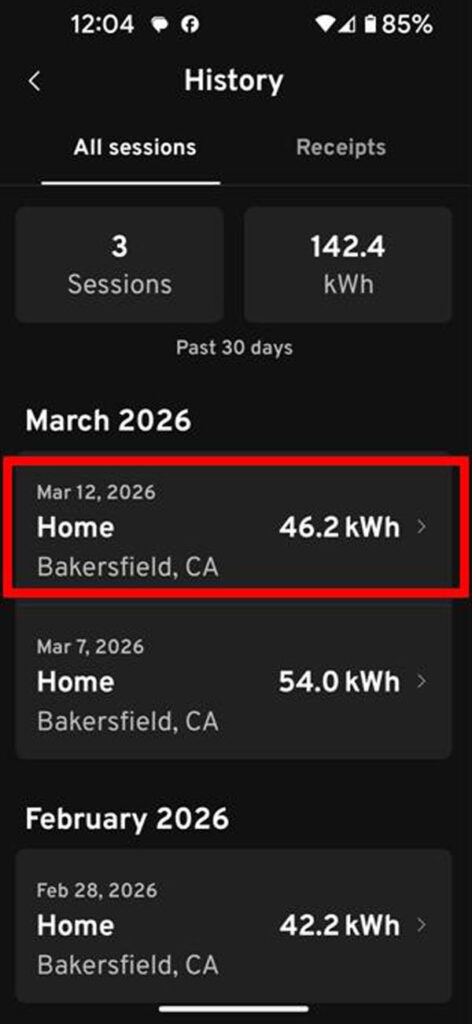
While poking around on the My Chevy app on my smart phone, I stumbled across a record of how many kWh the car had consumed during the last charge cycle. The app keeps a “history” of your charge cycles.
So the car doesn’t report the kWh consumed on any of its displays, but you can get it from the My Chevy app.
Edit 12 July 2026: I do not recommend using the MyChevy app for the kWh “used” or “consumed” by the car on any one trip to calculate efficiency. After ~7,000 miles I’ve concluded that the MyChevy app is reporting the kWh fed to the car, not what the car consumed in driving. The numbers in the MyChevy app are closer to those reported by the EVSE or my kWh meter on the EVSE. All previous efficiency figures I’ve reported are kWh used to drive the car and to compare apples to apples I’ll continue to do so.
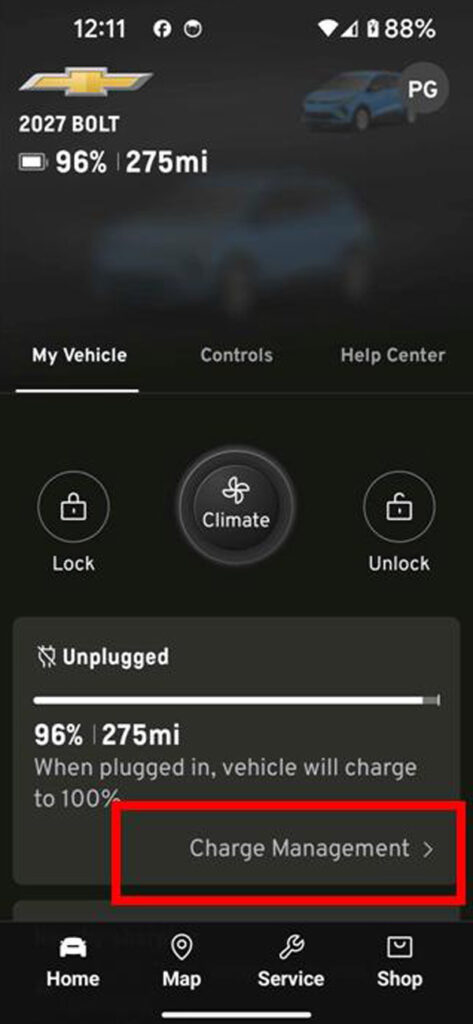
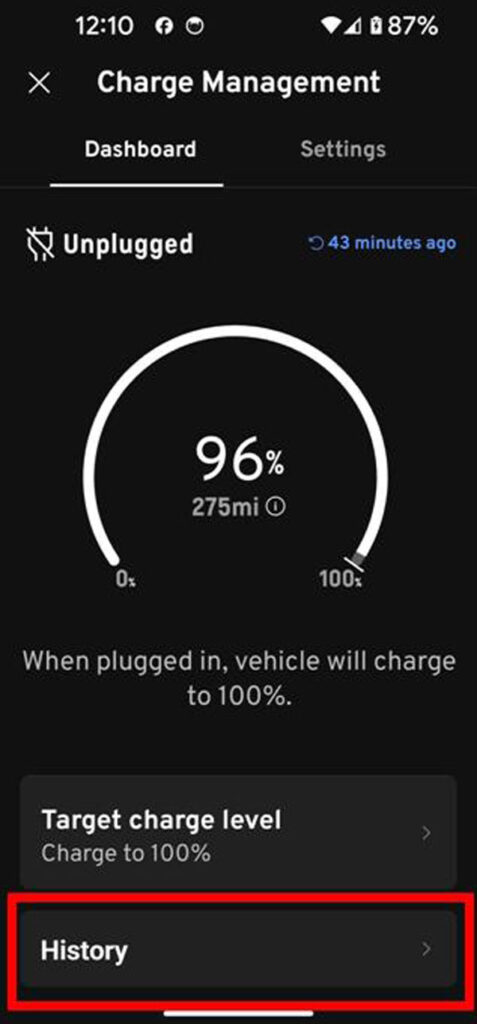
Here’s how to get it. From the home screen of the My Chevy app, click on the SOC and range section. On the next screen, “Charge Management,” click on “History.” There you will find records of your charge sessions and the amount of kWh used during the last charge cycle. These values match that from the Car Scanner ELM OBD2 app.
Click on the image below to cycle through the screen shots of the My Chevy app.